Create Post
Overview
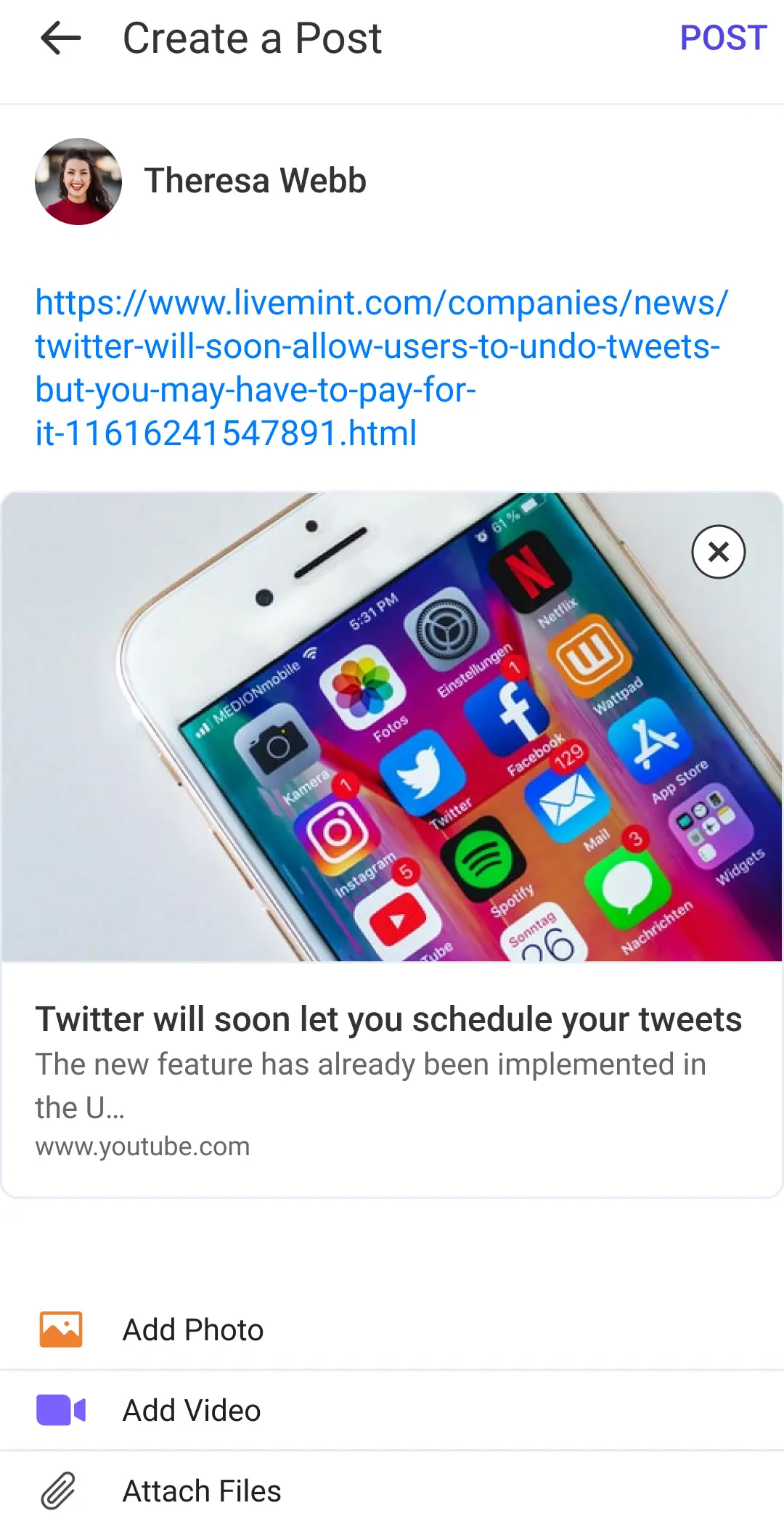
The LMFeedCreatePostScreen allows users to create posts by adding text, images, videos, and documents. It provides various UI components and functionalities to facilitate the post creation process.
File Location:
LMFeedCreatePostScreen.swift
Functionality
Protocols Implemented
UI Components
containerStackView: A vertical stack view containing the scroll view and add media stack.scrollView: A scroll view that contains the post creation elements.scrollStackView: A vertical stack view within the scroll view, containing the header view, topic view, input text view, link preview, media collection view, page control, document table view, and add more button.headerView: A view displaying the user's profile image and username.topicView: A view for displaying and selecting topics for the post.inputTextView: A text view for entering the post content and mentioning users.linkPreview: A view for displaying a preview of any links entered in the text view.mediaCollectionView: A collection view for displaying added images and videos.mediaPageControl: A page control for navigating between media items.documentTableView: A table view for displaying added documents.addMoreButton: A button for adding more media or documents.addMediaStack: A stack view containing tabs for adding photos, videos, and documents.videoPlayer: A player view controller for displaying videos.taggingView: A view for displaying and selecting mentioned users.createPostButton: A navigation bar button for creating the post.
Data Variables
documentAttachmentData: An array containing the data models for document preview cells.documenTableHeight: A constraint for adjusting the height of the document table view.documentAttachmentHeight: The fixed height of each document preview cell.taggingViewHeight: A constraint for adjusting the height of the tagging view.inputTextViewHeightConstraint: A constraint for adjusting the height of the input text view.textInputMinimumHeight: The minimum height of the input text view.textInputMaximumHeight: The maximum height of the input text view.mediaAttachmentData: An array containing the data models for media (image and video) cells.documentPicker: A document picker view controller for selecting documents.
Methods
setupAddMedia(): Configures the appearance of the add media tabs.setupInitialView(): Hides or shows various UI elements based on the initial state.setupProfileData(): Configures the user's profile image and username in the header view.observeCreateButton(): Enables or disables the "Create Post" button based on the presence of media, text, or documents.openImagePicker(_:isFirstTime: Bool, maxSelection: Int): Opens the system image picker for selecting images or videos.openDocumentPicker(): Opens the system document picker for selecting documents.
Action Handlers
didTapAddPhoto(): Called when the "Add Photo" tab is tapped.didTapAddVideo(): Called when the "Add Video" tab is tapped.didTapAddDocument(): Called when the "Add Document" tab is tapped.didTapAddMoreButton(): Called when the "Add More" button is tapped.didTapCreateButton(): Called when the "Create Post" button is tapped.
Customization
CustomCreatePostScreen.swift
class CustomCreatePostScreen: LMFeedCreatePostScreen {
  override func setupAppearance() {
      super.setupAppearance()
      mediaCollectionView.backgroundColor = .lightGray
  }
}
AppDelegate.swift
func application(_ application: UIApplication, willFinishLaunchingWithOptions launchOptions: [UIApplication.LaunchOptionsKey: Any]? = nil) -> Bool {
  Components.shared.createPostScreen = CustomCreatePostScreen.self
  // ...
  return true
}